|
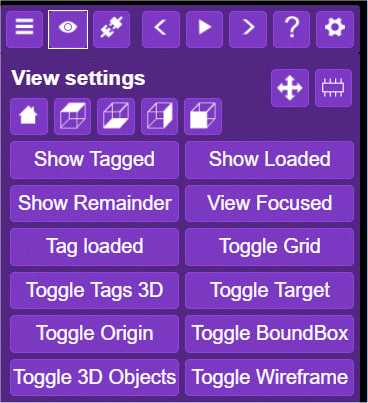
The View Options menu allows you to manipulate what you see and how you see it.
|
|
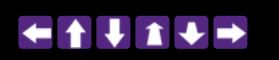
This icon allows you to place a series of navigation arrows on your model and you can use them instead of a mouse to navigate. This is particularly useful if you are on a smart device or VR headset where you don't have a mouse.
The arrows appear at the bottom of the model and from left to right they
|
Memory Info:
|
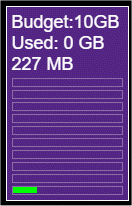
This icon toggles the memory information window that appears at the bottom-left of the screen:
|

|
These icons move the model into a series of pre-canned viewpoints. From left to right
|

The remaining View Option buttons have the following meanings:
Show Tagged: Temporarily highlights in orange all Elements which are tagged
Show Loaded: Temporarily highlights in orange all Elements whose content is currently loaded in memory
Show Remainder: Temporarily highlights in orange all Elements that are neither tagged not loaded
View Focussed (only works in 3D mode): Makes the wireframes of all Elements neither tagged nor loaded disappear (de-clutter)
Tag loaded: Tags all Elements whose content is loaded into memory
Toggle Grid: Turns the models frame grid on and off
Toggle Tags 3D: Turns the little tags attached to the corners of Elements on and off
Toggle Target: Turns the little yellow ball that shows the point about which the model rotates on and off
Toggle Origin: Turns the 3-way coloured arrows that indicate the models orientation on and off
Toggle BoundBox: Turns the white wireframe around the whole model on and off
Toggle 3D Objects: Turns objects such as well-derricks and other 3D "shapes" (such as the GeoReality logo) on and off
Toggle Wireframe: Certain Elements, such as Horizons, have a special wireframe whose visibility is turned on and off by this button