In GeoReality (GR), you can navigate yourself around a model (Active use) OR you can allow yourself to be navigated around the model using Tours.
A Tour can be controlled in real-time by a "Tour Master" elsewhere on the Internet (Interactive use) OR it can be controlled from a preset program of stations or Keyframes (Passive use).
A Keyframe defines what Elements of the model are in what state (invisible/transparent/opaque), the point of view onto the Model and a displayed caption and/or a prerecorded sound clip.
The effect is that a Tour allows one user to control what one or more other people can see and is a great way of sharing information about a dataroom project with others. This is very useful for creating a presentation or structured project walk-through - either live as a "show-and-tell" or recorded as a "presentation" also known as a GeoCast™.
A GR Model can have any number of Tours.
For each Model, Tours are identified with a Name (possibly blank) and a Number.
How you attach to a Tour depends on what you use to launch the Model. A model can be launched from a link in an email, for example, or from a form or button on a Web page.
The following dialogue shows the options one has to engage with tours in a typical GeoDataMan™ Virtual Data Room:
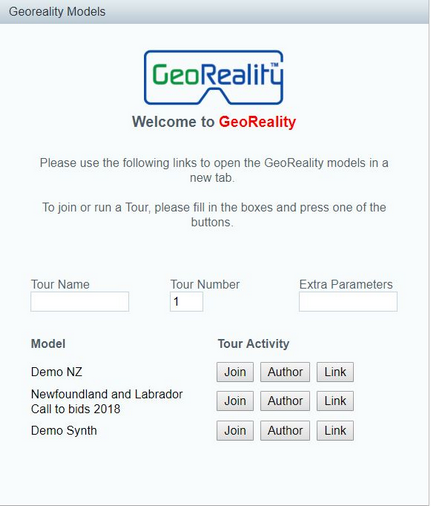
The capabilities that you will have will depend on the permissions granted to your logged-on user ID.
It is important to note that a Tour is intricately linked to just one GeoReality Model and if that Model is changed by adding or removing Elements, then the Tour will need to be either manually adjusted to suit or re-made again from scratch.